Put a Shared Tablet in Your Barn and Watch Everything Change
EquineOps
Mar 22, 2026
Every barn has the same problem: the people doing the work don't always have a phone handy, and even when they do, nobody wants to fumble with logins while wearing gloves covered in shavings. Meanwhile, the whiteboard in the feed room only works if someone actually updates it — and if it doesn't get erased by accident.
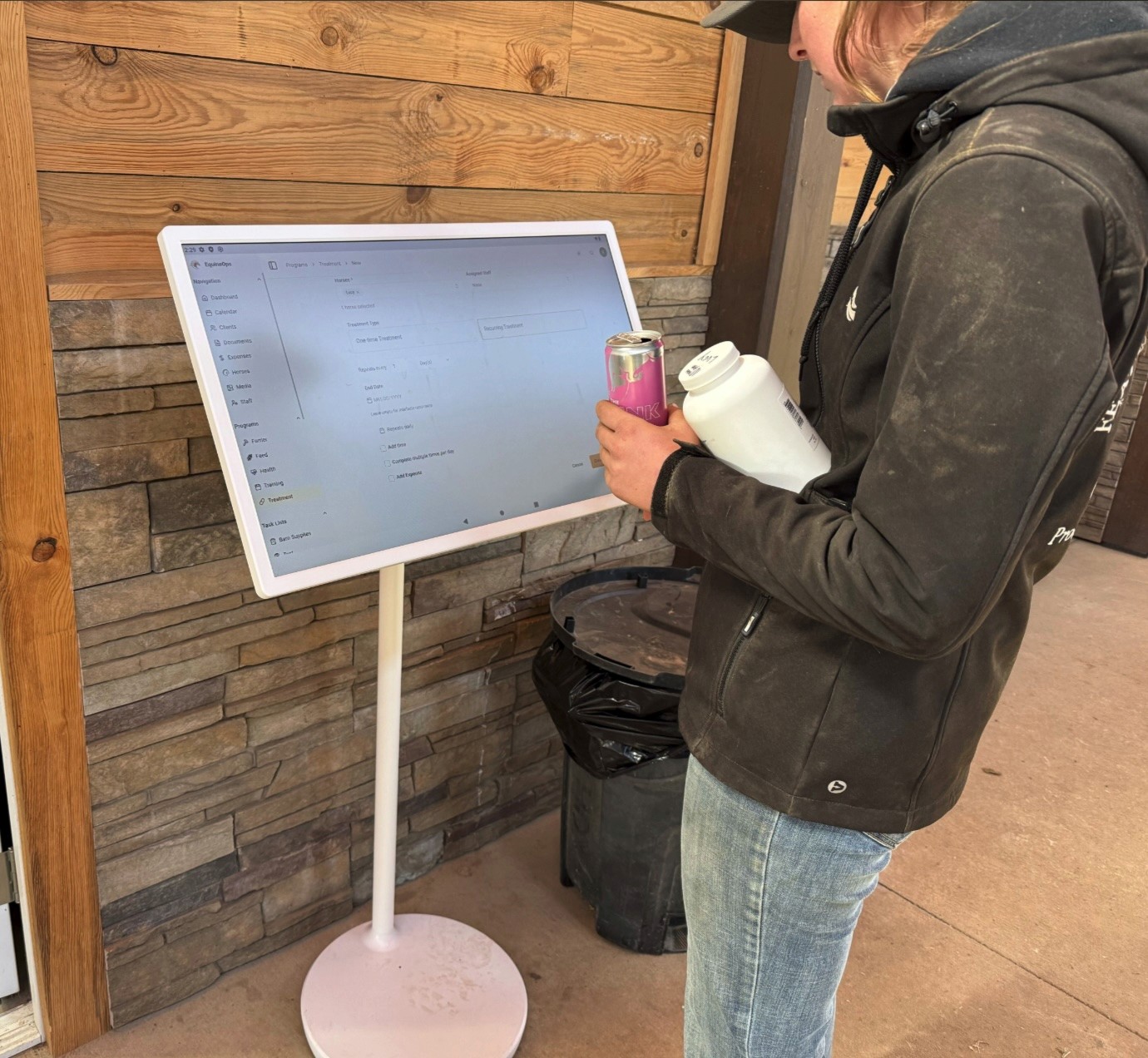
There's a better way. Mount a tablet on the barn wall, set a laptop in the feed room, or leave a device at the end of the aisle. With EquineOps Kiosk Mode, that one shared device becomes a barn station your entire staff can use to check tasks, update records, and log what they've done — all without needing their own account or password.
Staff Pick Their Name, Then Get to Work
When someone makes a change on the shared device — marking a task complete, adding a feed item, updating horse notes — EquineOps asks them to select their name from the staff list first. That's it. No email address, no password, no logging in and out.
If their session is still active from a few minutes ago, they won't even be asked again. It stays fast and out of the way.
Know Exactly Who Did What
This is the part that replaces the guesswork. Every action on the shared barn tablet is automatically logged with the staff member's name, a timestamp, and what they changed.
Did someone complete the morning feed? You'll see who and when. Were the evening meds given? It's in the log. No more walking the barn aisle asking "Did anyone do this yet?" — just check the activity log.
For trainers and barn managers who need staff accountability without micromanaging, this changes everything.
Optional PIN for Extra Security
If you want to make sure nobody makes changes under the wrong name, turn on PIN security. Each staff member gets a simple 4-6 digit PIN. They select their name, punch in their code, and proceed. It takes two seconds and prevents mix-ups.
If your barn runs on trust and speed, leave PINs off. Staff still select their name, so everything is still tracked — there's just no extra step.
Choose What Shows on the Screen
Not every page needs to be on every device. Kiosk Mode lets you control exactly which sections are visible on the shared barn tablet.
Running a dedicated feed station? Show just the Dashboard and Programs. General-purpose tablet in the office? Leave most pages visible. You can show or hide the Dashboard, Calendar, Horses, Documents, Media, Programs, Task Lists, Clients, Expenses, and Staff pages. Sensitive areas like Account settings and billing are always hidden automatically.
Sessions Time Out Automatically
You pick how long a session stays active — anywhere from 2 minutes for a high-traffic device to 30 minutes for a device one person uses at a time. The default is 5 minutes, which works well for most barns. You can also set it to never expire.
When the session times out, the next person who makes a change just selects their name again. No disruption, no friction.
Replaces the Whiteboard, the Sticky Notes, and the Group Text
A shared barn tablet running EquineOps does what whiteboards, printed feed sheets, and group texts have been trying to do for years — keep everyone on the same page. The difference is that it actually works, it updates in real time, and it keeps a record of everything.
Your morning groom checks off tasks as they go. Your afternoon rider updates the training board. Your evening crew logs the last feed. And you can see all of it from anywhere, even if you're not at the barn.
Setting It Up Takes Two Minutes
Any Admin or Manager can turn on Kiosk Mode from the settings menu. Pick which pages to show, decide whether to require PINs, set your session timeout, and you're done. No special hardware, no apps to install. Any tablet, laptop, or computer with a web browser will work.
Give It a Try
Kiosk Mode is included in every EquineOps plan. Put a shared device in your barn and see what happens when your whole team is finally on the same system.
Get started at app.equineops.com